Drag and drop, in bulk
Upload dozens of files at once. Main contracts, appendices and correspondence are grouped into contracts automatically.
GETTING CONTRACTS IN
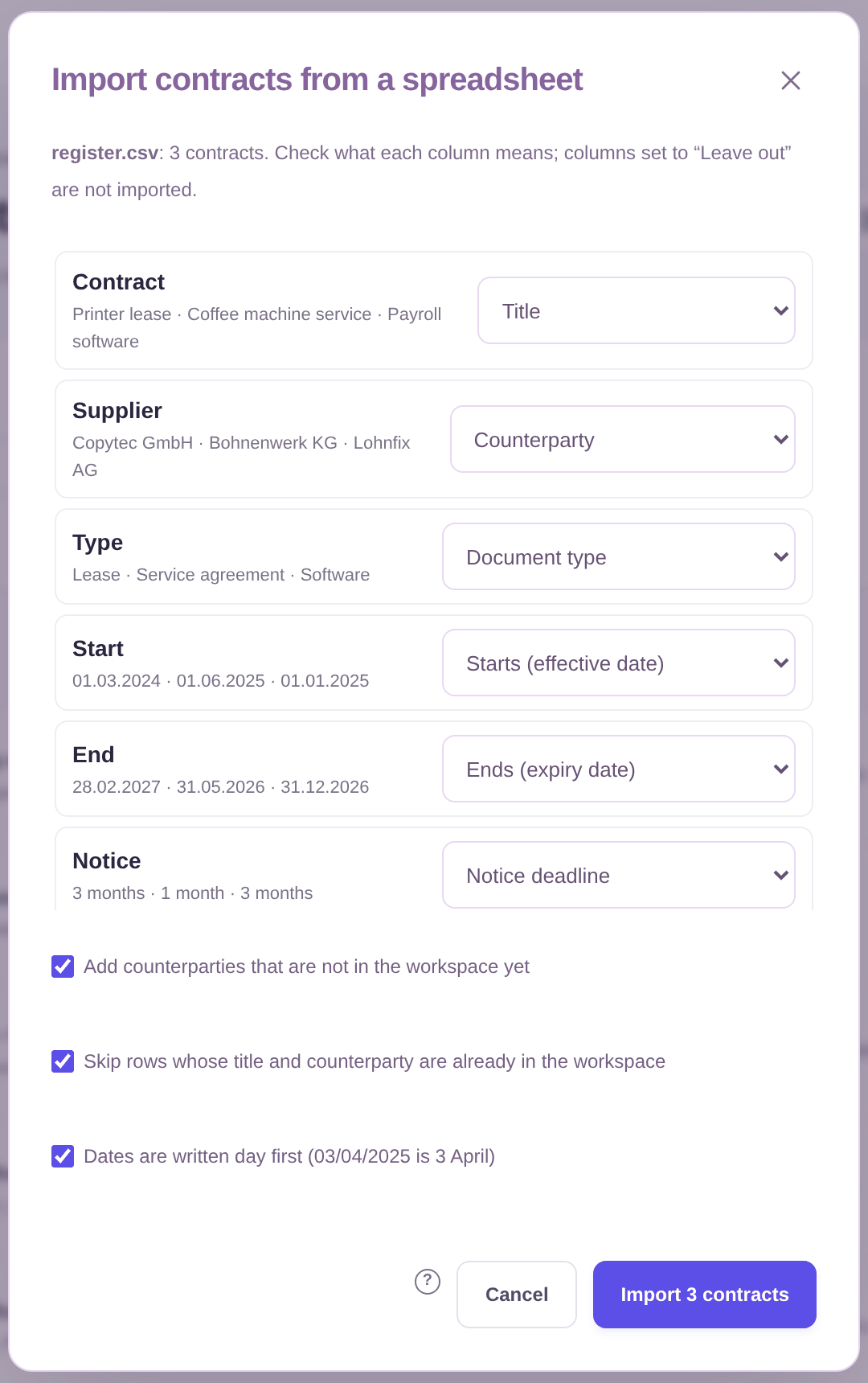
Drag in a folder, forward an email, or import the spreadsheet you already keep. ContractSorted works out which files belong together, reads them, and files each one with the right contract and counterparty.
Your contracts are everywhere: email attachments, a shared drive, DocuSign, a drawer of scans, and a spreadsheet someone started two years ago. Most tools expect you to clean all that up first.
ContractSorted doesn’t. Throw everything in at once, main contracts, appendices, price lists, letters, and it groups them into contracts by itself, asking you only when it isn’t sure.
WHAT YOU GET
Upload dozens of files at once. Main contracts, appendices and correspondence are grouped into contracts automatically.
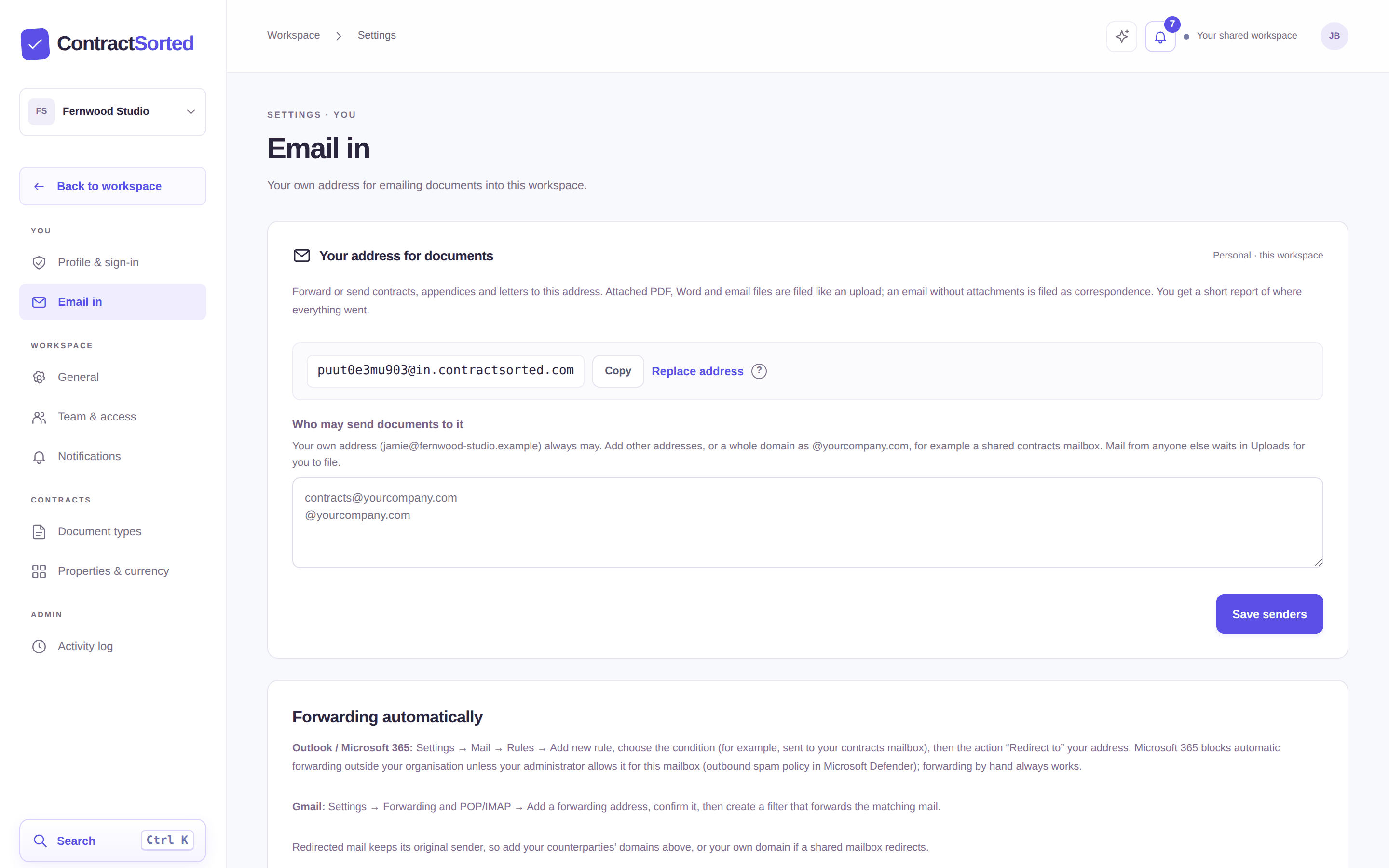
Everyone gets a private address. Forward a signed contract with its attachments and it files itself.
Map your Excel or CSV columns once and every row becomes a contract with its counterparty, dates and values. Attach the files whenever you find them.
Scanned PDFs are read with OCR. Word files, .eml and .msg emails are converted and kept as the original.
Upload the same file twice and you’re told where it already is. Near-identical copies are flagged.
Upload the draft now and the signed version later: it replaces the draft and keeps everything you’ve added.
HOW IT WORKS
Upload a folder, forward emails or import your list. Start with ten contracts or five hundred.
Files are grouped into contracts on verified evidence. Anything uncertain waits in Uploads for one click from you.
New contracts arrive the same way: forward the email and you’re done.
EMAIL IN
Every person has their own address for each workspace. Forward a signed contract from your inbox and it’s read and filed, attachments and all; send an email on its own and it’s kept as correspondence. Mail from senders you haven’t allowed waits for you instead of filing itself.
GOOD QUESTIONS
As many as you like in one go; each file can be up to 25 MB and 100 pages.
It only files a document with a contract on verified evidence, a matching reference or quotation. Anything uncertain waits for you, and you can move a document to another contract in two clicks.
Yes. Column names in English and German are recognized automatically; you check the mapping and import. Values you import are never overwritten when the signed file is analyzed later.
Not yet. Today you upload, forward by email or import a spreadsheet; folder and cloud connections are on our roadmap.
YOUR CONTRACTS. YOUR COMMITMENTS. SORTED.
Create a workspace, drop in a folder, and watch ContractSorted sort it out.
No credit card. Unlimited users. Set up in minutes.Already have an account? Sign in